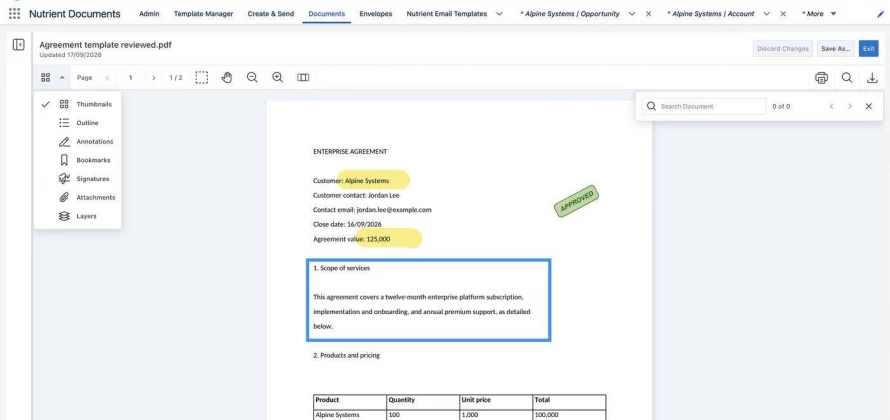
CloudBlazer is now an authorized Nutrient reseller and implementation partner. Salesforce customers can now buy Nutrient Documents for Salesforce licenses through CloudBlazer and have our team implement, configure, and support it, all with one partner.
Nutrient Documents for Salesforce is a Salesforce-native app for document generation, PDF and Word editing, markup, forms, and legally binding e-signatures. Everything happens on the Salesforce record your team already works in, so documents no longer have to leave Salesforce to get finished and signed.
In our Salesforce projects, we see the same document workflow again and again. A rep exports opportunity data, pastes it into a Word template, emails a PDF for review, and then sends it through a separate e-signature tool. Every hand-off adds a chance for errors, slows down the deal, and often leaves the signed copy sitting in someone's inbox instead of on the record.
Many companies also pay for two or more tools to handle this: one for document generation and another for e-signatures. That means more vendors, more integrations, and more renewals to manage.
Nutrient brings document generation, editing, and e-signature together in a single app that runs natively in Salesforce. For our customers, that means:
Software is only as good as its setup. As a Salesforce consulting partner, CloudBlazer handles the full project, not just the license:
If you already use Conga Composer, DocuSign, Adobe Acrobat Sign, or another document tool with Salesforce, we can help you decide whether consolidating on Nutrient makes sense. When it does, we inventory your current templates and workflows, rebuild and test them in Nutrient, plan the cutover around your renewal dates, and train your team on the new process.
Learn more about our Nutrient for Salesforce document generation and e-signature services, or talk with a CloudBlazer consultant about your document workflows. Pricing depends on your number of users and templates, so contact us for details.


